Skip to content

Together as one — your family's private home

Everything your family shares, in one private home.

Onna is a private family organiser: one calm place for the things that bring you together.

Split and settle the money you share, keep the documents that matter in a Family Vault, grow the family tree, and put birthdays, bills and festivals on one calendar — with photos, notes and lists for the whole household. Private by design. No ads, never a feed.

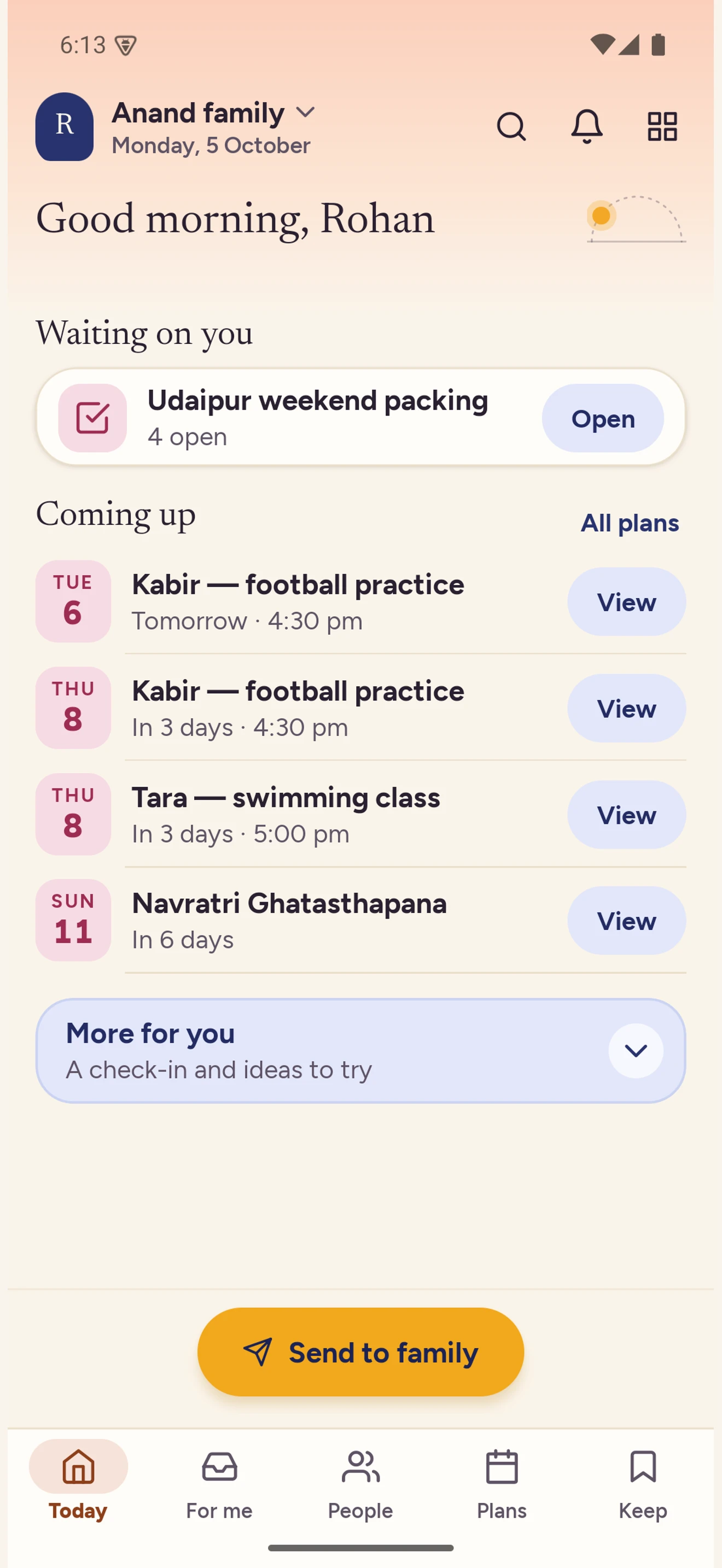
Home, with the For Me tab

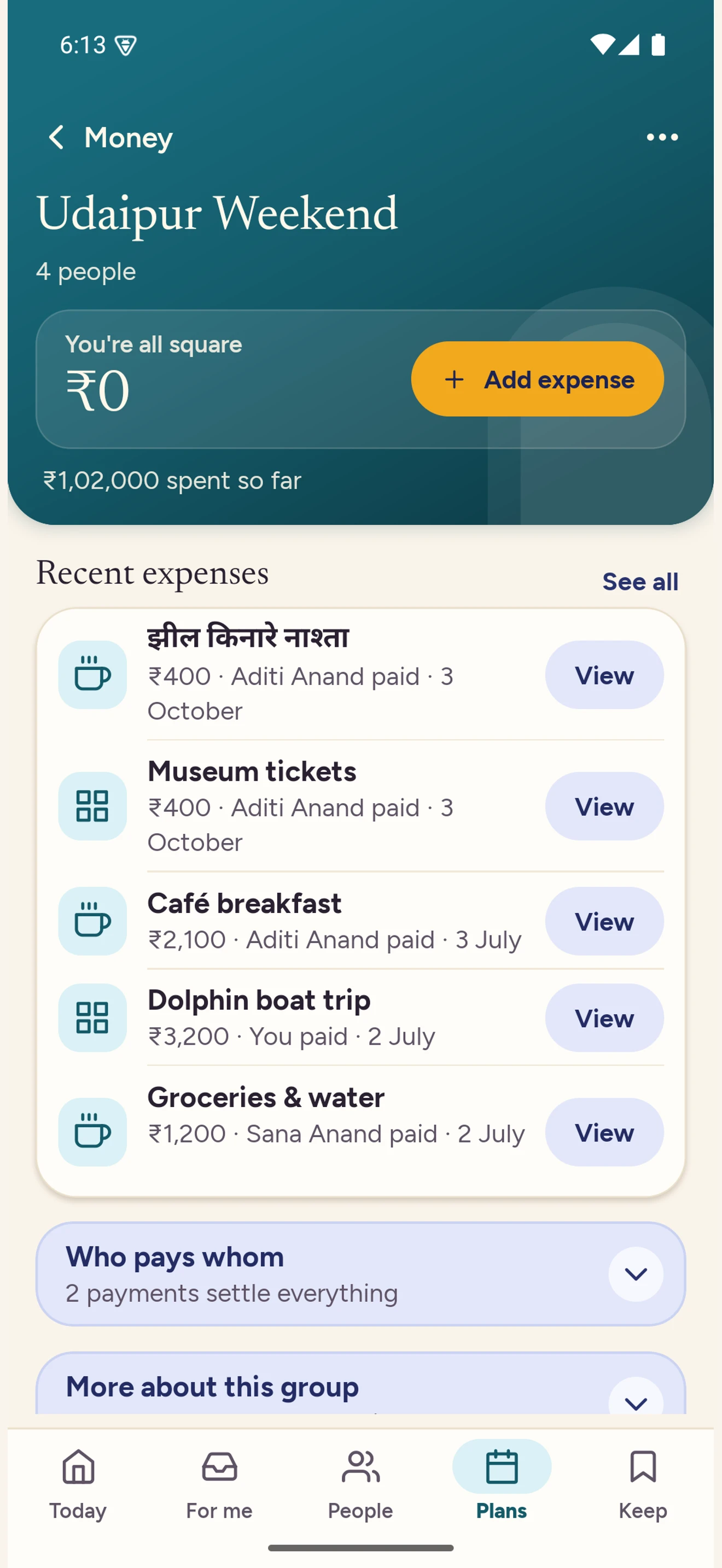
Split and trips

Split the trip, settle it in one place, and keep the photographs with it.

  1. Start a trip or a quick split, and name who is in it.
  2. Add an expense; each person’s share is worked out, equally or by share.
  3. Settle through your own UPI app, and mark it done.
Sign in

Onna never moves money. The UPI link opens your own bank app on your own device, and who has settled is what the people in the trip say.

Money, with expenses and what is owed

What lives inside

One place, and everything a family keeps in it.

Money, memories and the everyday plans. Find the part you need, and take a closer look.

Money together

Record what someone paid, split it equally or by share, and Onna keeps the running answer to who owes whom — across a trip, a household, or the everyday. Statements, budgets and settlements sit beside it, so nobody has to hold the arithmetic in their head.

Onna Money offers no loans, asks for no bank login, and carries no ads.

How shared expenses work

Start with shared expenses
Continue with Google

Already use Onna? Add the other sign-in method in Settings so both open the same account.

Money, with expenses and what is owed

Family Vault

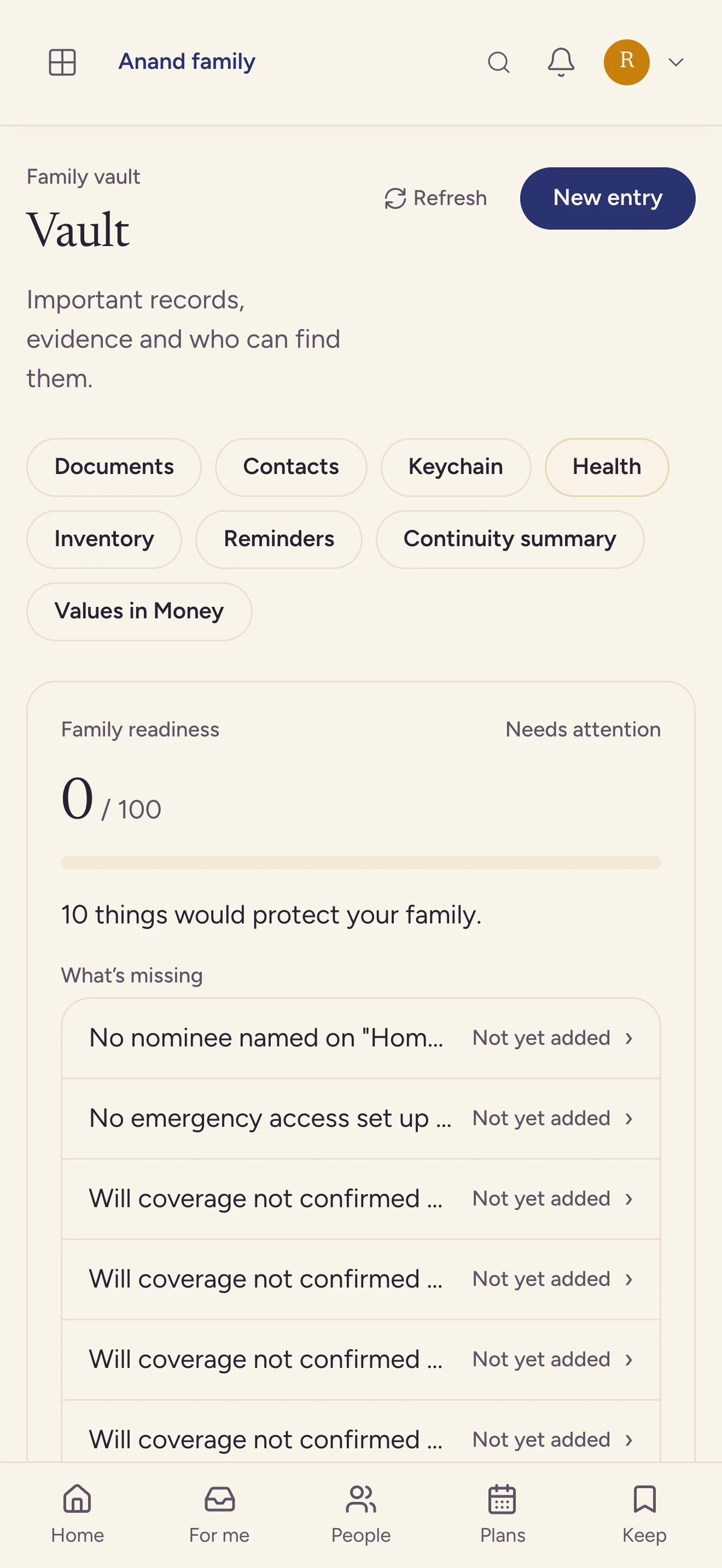
The documents, accounts, and nominee details a household needs to find later — in one place your family can actually find. Access follows Vault permissions, and a selected record can be shared through a limited, revocable, read-only link.

How the Family Vault works

Family Vault
Family Vault

Family tree and stories

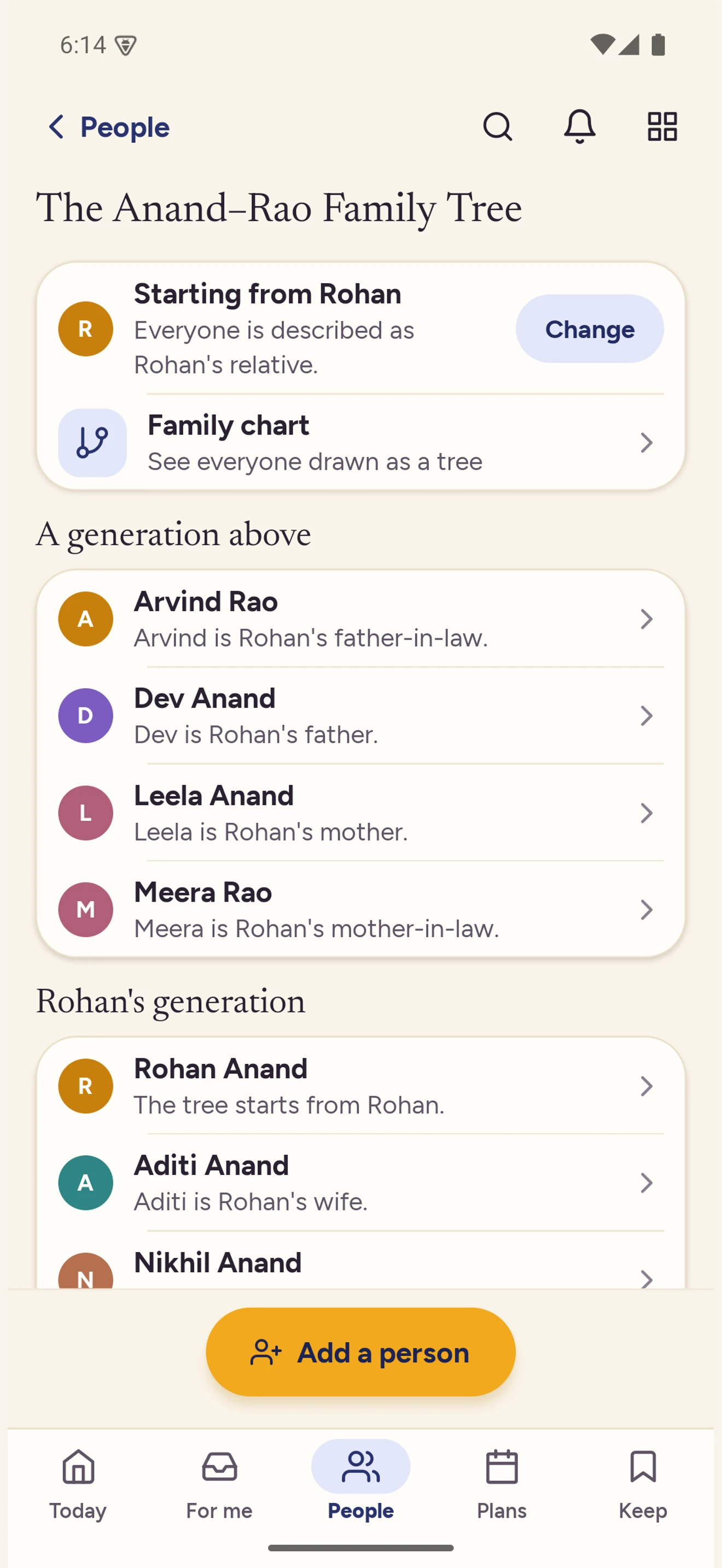
The records and the people behind them — names, dates, photographs, and the stories that explain them — kept in order for the people who come after. Questions written for elders help them record what they remember, in their own words.

How the family tree works

Family tree
Family tree

One family calendar — birthdays, bills, school notices, festivals with panchang

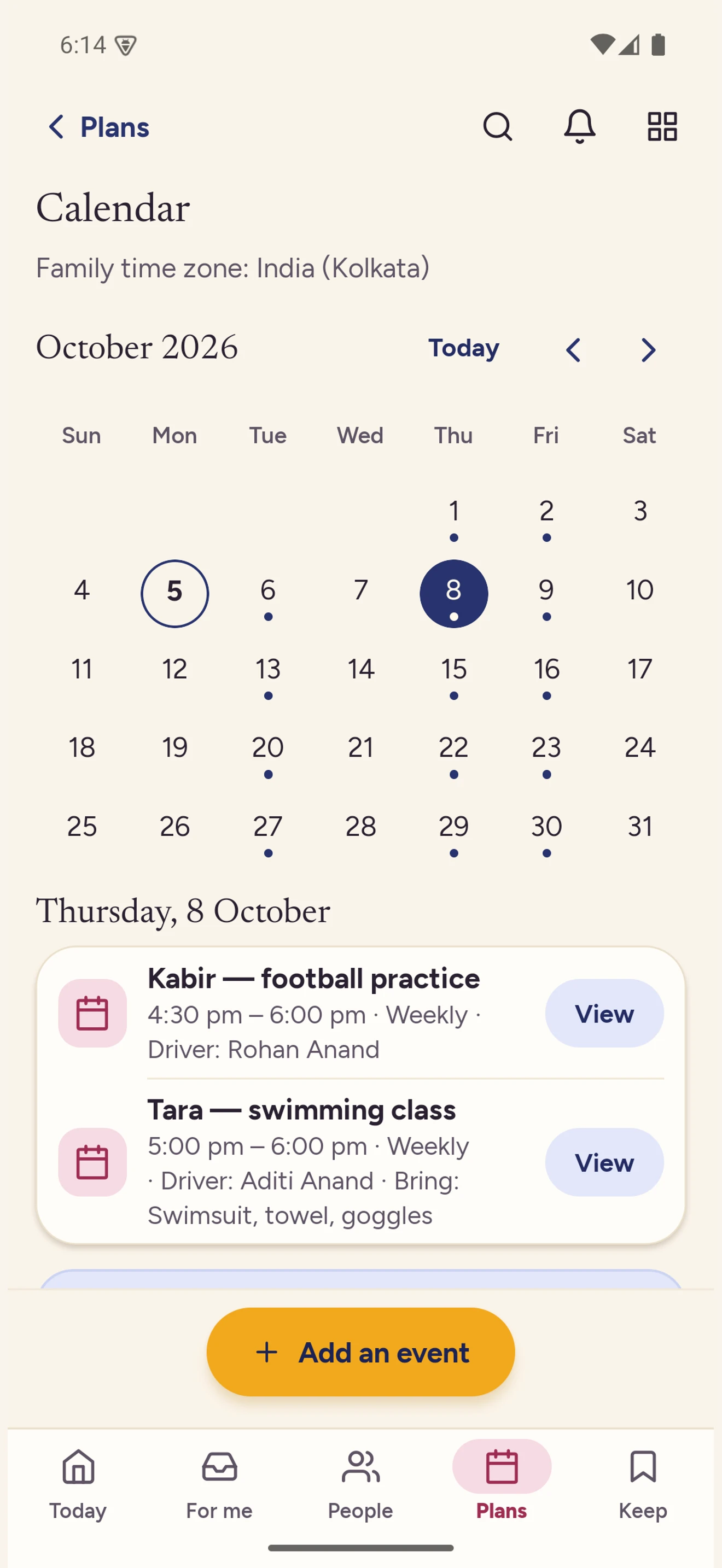
Birthdays and anniversaries arrive from the family tree, a school notice can be photographed straight onto a date, and festivals carry the panchang with them. Everything else a household runs on — a bill, a visit, a school event — is an event you add, with reminders that repeat when you need them to.

How the family calendar works

Family calendar
Family calendar

Notes, lists and memories

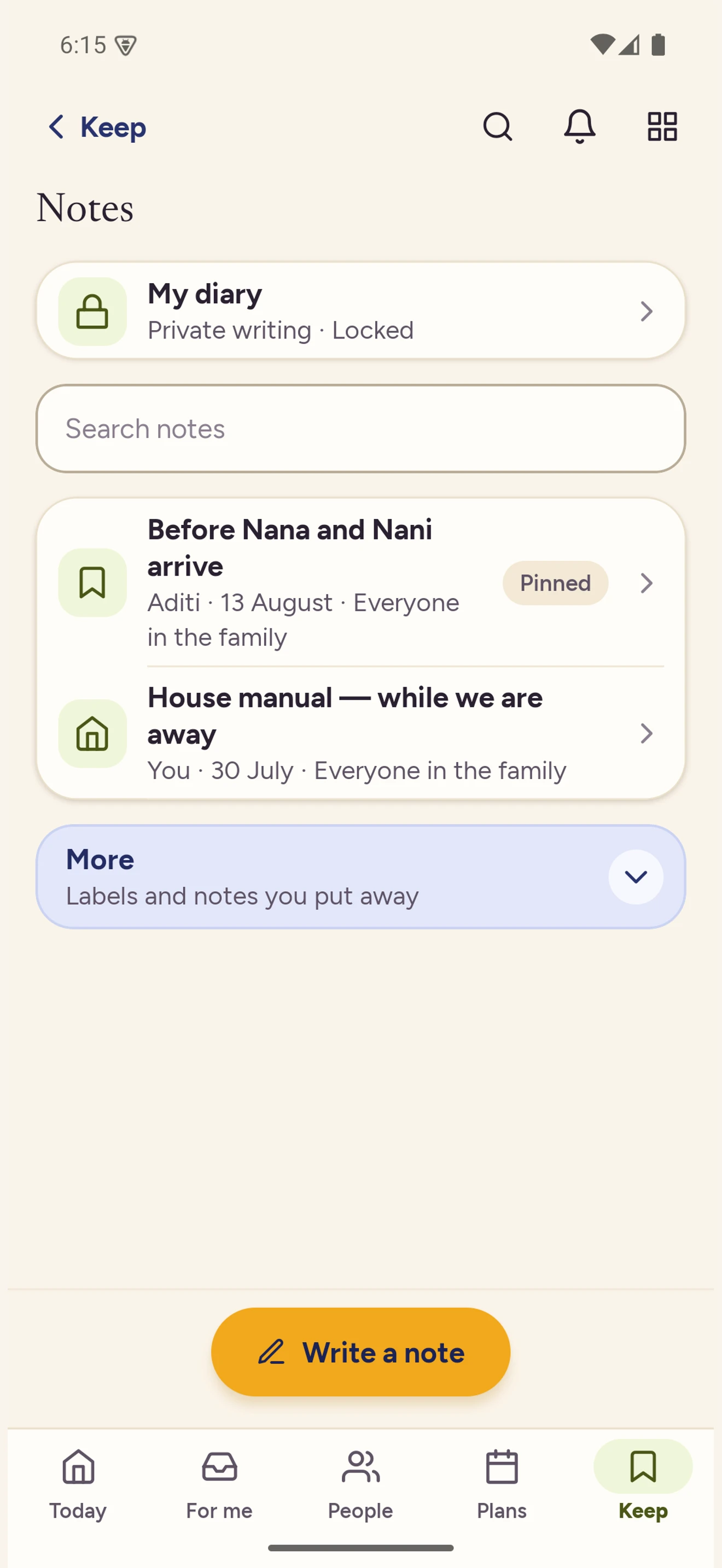
Plans in notes, one to-do list for anything checkable, and a shared library where the family photographs live. Story prompts sit beside them, so a picture can carry the account of what was happening in it.

Notes & Lists, with a pinned note and the house manual

Pass on what matters — For Me

Choose a video or an article for one person, write why you chose it, and it waits under For Me until they have time — the reason cannot be skipped, and it travels with the item. You can see whether it was delivered, opened, declined, or answered, and until they open it, you can take it back.

Home, with the For Me tab

Onna on TV

A paired, read-only living-room surface for approved family content, with editing and private records kept on personal screens.

Works in any browser

Sign in from any browser to manage your family space and open eligible items sent to you in For Me. Declining and responding to those items still need the phone app.

Privacy

How Onna treats your family’s information.

The short version, in plain language, is below — and it is exactly what the Privacy Policy commits to.

No advertising

Onna contains no ads and no advertising SDKs.

Limited product analytics

Onna uses its own account and family records to measure feature use and trial-to-paid subscriptions. Some usage counts are grouped by age band where a birth date is available. We personalise requested recommendations using searches and choices. We do not use advertising tracking or session replay. See the Privacy Policy for details.

We don’t sell your data

And we don’t share it for advertising.

Self-hosted in India

Onna’s API and primary database run on servers in Mumbai, and primary media is stored in AWS S3 in Mumbai.

Encrypted in transit and at rest

Connections are encrypted (HTTPS), and stored files are held in access-restricted storage with encryption at rest. Family Vault documents get a second layer: Onna encrypts them itself, so the saved file is unreadable to the storage provider. An upload passes through a temporary staging area at that provider first, which Onna removes once the document is saved.

Children are kept out of AI features

Children’s health data is never sent to an AI provider, and their information is never used for behavioural profiling — enforced in the software itself, not left to judgement. Identifying details are removed from the text of every AI request; a file you ask Onna to read is sent as it is, so see the privacy policy for what that means.

Optional AI text is de-identified

Before any text is sent to the AI provider, personal identifiers are detected and replaced with placeholders. If that removal step cannot run for any reason, the request is cancelled rather than sent.

You can leave

You can request account deletion at any time. Available exports are free.

The Family Vault holds a household’s most sensitive records, so it is worth being exact about it: encrypted at rest. Access follows Vault permissions, and selected records can be shared through a limited, revocable, read-only link. The full detail, including the service providers we rely on and how we retain data, is in the Privacy Policy.

Privacy Policy

Pricing

One household plan for your whole family.

Never per seat. Every new family starts with a 30-day trial of Premium — no payment method is required, so nothing is charged automatically. When a trial ends, the family moves to Free. Changing plans does not itself delete your content, and available exports are free.

Onna Money offers no loans, asks for no bank login, and carries no ads.

Family tree and Kahani

Keep relationships, photographs, and family stories together, with questions that help elders record what they remember.

Sealed letters

Prepare a letter for a chosen date, age, or family occasion, then let Onna keep it sealed until release.

Heirloom posters and life sheets

Turn the family tree into printable keepsakes made to be passed down. Availability follows your plan in the table below.

No ads. We don't sell your data or share it for advertising. Onna keeps core family sharing and coordination free; Premium, not advertising, is what pays for Onna. Premium is never priced per person, and no one is ever charged to be part of your family.

20 GB storage, 500 AI actions/month, calendar connections, and the encrypted family archive.

One subscription upgrades the selected family. Other families need their own Premium subscriptions.

The encrypted family archive includes shared library photos, family-tree media and attachments to notes shared with the whole family. It excludes private items, Family Vault documents, and expenses/trips. Note text, lists, calendar entries, health records and chat are also excluded.

What the Free and Premium plans include
FeatureFreePremium
Storage for photos, documents, and receipts1.0 GB20 GB
AI actions each month15500
Families you can own25
Vault documents25Unlimited
Encrypted family archiveNot includedIncluded
Read-only external calendar connectionsNot includedIncluded
Heirloom posters and life sheetsNot includedIncluded

Premium is ₹149/month or ₹1,499/year. Both buy the same thing; pick whichever suits you.

Prices include GST. Cancel any time — cancelling a plan does not itself delete your account or content.

Questions

Asked before starting.

Is Onna free?

Yes, for your whole family. Onna keeps core family sharing and coordination free, Premium is never priced per person, and no one is ever charged to be part of your family. Premium adds 20 GB storage, 500 AI actions/month, calendar connections, and the encrypted family archive. One subscription upgrades the selected family. Other families need their own Premium subscriptions. The encrypted family archive includes shared library photos, family-tree media and attachments to notes shared with the whole family. It excludes private items, Family Vault documents, and expenses/trips. Note text, lists, calendar entries, health records and chat are also excluded. Every new family starts with a 30-day trial of it — no payment method required, so nothing is charged automatically — and when the trial ends the family moves to Free and your data stays. Both prices are in the plans section on this page.

Which phones and TVs does Onna run on?

Android phones, iPhone, Android TV, and any browser. Sign in from any browser to manage your family space and open eligible items sent to you in For Me. Declining and responding to those items still need the phone app. The phone app is on Google Play; the TV app is a paired, read-only surface, and the web app needs nothing installed.

How do I get my data out?

Feature by feature, and available exports are free. A family tree exports as GEDCOM, the money surfaces export as CSV, and a family’s owner can run one export from Family settings that bundles the trees and the shared library with time-limited download links and lists the sections it leaves out. Account deletion is requested from Settings inside the app; a completed request removes private account data, anonymises shared records where needed, and may retain limited records required by law.

Where is my family’s data stored?

On servers in Mumbai, India. Connections are encrypted, and stored files are held in access-restricted storage with encryption at rest. Encrypted database backups and a second copy of media are kept with Cloudflare R2, which the privacy policy sets out in full.

Can children use Onna?

Children join the family an adult sets up; they don’t create their own accounts. Children’s health data is never sent to an AI provider, and their information is never used for behavioural profiling. Identifying details are removed from AI request text; a file you ask Onna to read is sent as it is. See the Privacy Policy for that distinction.

What is a family in Onna?

In Onna, a family is one shared space for a household or family. Each feature applies its own permissions, and selected records can be shared deliberately outside it.

Getting started

Sign in to your family’s home.

Onna runs in your browser — sign in with Google and your family’s home is ready. An adult sets up the family and can manage children’s profiles; supported teens may also use their own provider-authenticated account with age-aware limits.

Sign in

Questions before you start? Email us at support@joinonna.com